

Skip to content

MT5 WebTrader - MetaTrader 5 Web Platform

WebTrader MT5 delivers institutional-grade trading capabilities directly through your web browser, eliminating software downloads while maintaining full platform functionality. As a regulated broker, Vida Markets provides seamless access to this browser-based solution, enabling you to trade forex, indices, commodities, and cryptocurrencies with professional tools across global markets.

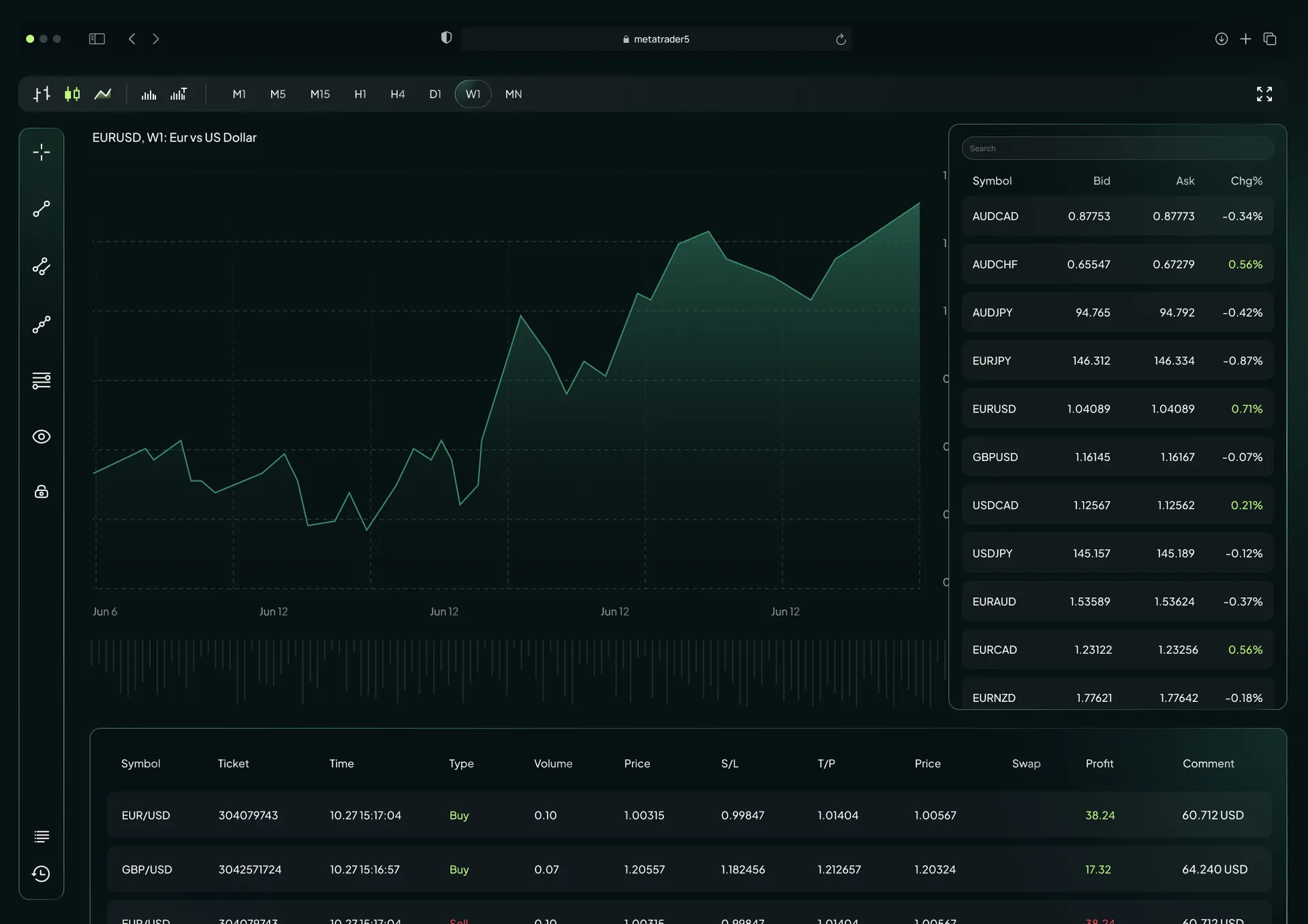
MT5 WebTrader Browser-Based Trading Platform visual

MetaTrader 5 Web Platform Capacities

The MetaTrader web platform operates as a complete trading engine, not a simplified version of the desktop application. WebTrader processes complex analytical calculations, executes orders with precision, and manages multiple positions simultaneously through advanced browser technology that rivals standalone software performance.

Multi-Asset Trading Support icon

Multi-Asset Trading Support

Access forex pairs, stocks, commodities, and digital currencies through a unified interface that centralizes portfolio management. This integration allows traders to diversify positions across asset classes without switching between multiple platforms or interfaces.

Institutional-Grade Execution icon

Institutional-Grade Execution

The platform architecture minimizes latency through optimized server connectivity, ensuring order execution speed during high-volatility periods. Market orders reach liquidity providers within milliseconds, maintaining price accuracy even when trading conditions change rapidly.

Secure Browser-Based Access icon

Secure Browser-Based Access

SSL/TLS encryption protocols protect all data transmitted between your browser and trading servers. The platform implements multi-layer security measures that safeguard account credentials and transaction details without requiring additional software installations.

MT5 WebTrader Features

The web terminal provides comprehensive trading functionality through an interface designed for both quick execution and detailed market analysis. Professional-grade tools operate directly within your browser, offering the same analytical depth as downloadable platforms.

Advanced Charting Tools icon

Advanced Charting Tools

WebTrader supports candlestick, bar, and line chart formats with precision drawing instruments for technical pattern identification. Traders can customize chart layouts, apply multiple indicators simultaneously, and save configurations for rapid market assessment across different trading sessions.

Interactive Technical Indicators icon

Interactive Technical Indicators

Access over 30 built-in technical indicators covering trend analysis, momentum measurement, and volatility assessment. The platform includes 24 graphical objects for marking support levels, resistance zones, and price patterns directly on charts without external software.

One-Click Trading Functionality icon

One-Click Trading Functionality

Execute market entries and exits instantly through streamlined order placement that reduces the steps between decision and execution. This rapid-fire capability proves essential for scalping strategies and day trading approaches where milliseconds impact profitability.

Comparison Between WebTrader And Desktop Apps

Understanding the functional differences between browser-based and downloadable platforms helps traders select the optimal solution for their specific requirements. Each version offers distinct advantages depending on trading style, system access, and technical preferences.

Software Installation Requirements

WebTrader operates without installation, making it ideal for traders using shared computers, restricted work systems, or multiple devices. Simply navigate to the platform URL, enter credentials, and begin trading without administrative privileges or disk space allocation.

System Synchronization Benefits

All watchlists, chart configurations, and open positions synchronize in real-time across web, mobile, and desktop versions. Changes made on one device appear instantly on others, ensuring consistent trading environments regardless of access point.

Feature Parity Across Versions

While desktop applications support custom MQL5 programming and advanced automation, WebTrader provides complete manual trading functionality including all order types and analytical tools. The web version delivers 95% of desktop capabilities without installation overhead.

Why Trade With Licensed CFD Broker

Regulatory oversight ensures transparent operations, segregated client funds, and adherence to financial standards that protect trader interests. Trading with a licensed entity provides legal recourse and operational accountability that unregulated platforms cannot guarantee.

Global Regulatory Compliance icon

Global Regulatory Compliance

Licensed brokers maintain strict capital requirements, submit to regular audits, and follow prescribed risk management protocols. Client fund segregation ensures trading capital remains separate from operational expenses, providing an additional layer of financial protection.

24/7 Professional Support icon

24/7 Professional Support

Multilingual customer service teams assist with platform navigation, account management, and technical troubleshooting around the clock. Support specialists understand both trading mechanics and platform functionality, enabling them to resolve issues efficiently across different time zones.

Flexible Payment Methods icon

Flexible Payment Methods

Fund accounts through bank transfers, credit cards, and electronic payment systems with processing times ranging from instant to 24 hours. The platform supports multiple base currencies, minimizing conversion fees and allowing traders to maintain positions in their preferred denomination.

Tradable Assets On MT5 Web

The platform provides access to diverse markets through CFD instruments that track underlying asset prices. Traders can build portfolios spanning currency pairs, equity indices, precious metals, energy contracts, and digital currencies from a single account.

Forex Currency Pairs

Trade major pairs like EUR/USD and GBP/USD alongside minors and exotic combinations with spreads starting from 0.0 pips on raw accounts. High liquidity ensures tight bid-ask spreads during peak trading hours across European, American, and Asian sessions.

Global Indices And Commodities

Access CFDs on benchmark indices including the S&P 500, DAX 40, and FTSE 100 alongside commodity contracts for gold, silver, crude oil, and natural gas. These instruments enable speculation on broad market movements or sector-specific trends without direct asset ownership.

Digital Currencies And Shares

Popular cryptocurrencies like Bitcoin and Ethereum trade alongside international equity CFDs, allowing tech-focused strategies that capitalize on digital asset volatility. Share CFDs provide exposure to major corporations across American, European, and Asian exchanges.

How To Login To MT5 Web

Accessing the web platform requires the same credentials used for mobile and desktop versions, ensuring consistency across all trading interfaces. The login process takes seconds once you have your account details and server information ready.

Step 1

Account Credential Requirements

Locate your trading account number and password in the welcome email received after account approval. These credentials remain constant across all platform versions, eliminating the need to memorize separate login details for different devices.

Step 2

Server Selection Process

Enter your broker's server name in the designated field, typically found in your account documentation or support communications. Server selection connects your credentials to the correct data center, ensuring proper order routing and account synchronization.

Step 3

Launching WebTerminal Interface

Click the login button to initialize the platform and populate the market watch with real-time instrument prices. The interface loads within seconds, displaying your account balance, open positions, and available trading instruments immediately upon successful authentication.

Start Trading With Advanced Analytical Tools

Professional traders rely on comprehensive data analysis to identify high-probability setups and manage risk effectively. The platform integrates fundamental and technical analysis tools that operate seamlessly within the browser environment.

Integrated Economic Calendar

Market-moving events appear directly within the trading interface, displaying scheduled releases for employment data, interest rate decisions, and GDP reports. Color-coded impact indicators help prioritize which announcements warrant position adjustments or increased caution.

Market Depth And Price Transparency

The Depth of Market function reveals pending buy and sell orders at various price levels, exposing where institutional participants position their entries. This transparency improves execution quality by identifying liquidity zones and potential support or resistance areas.

Multiple Timeframe Analysis

Twenty-one timeframes ranging from one minute to one month enable both micro-scalping on lower intervals and macro trend analysis on higher periods. Traders can monitor short-term price action while maintaining awareness of broader directional bias through simultaneous chart displays.

Frequently Asked Questions (FAQ)