

Skip to content

MT4 WebTrader - MetaTrader 4 Web Trading Platform

MT4 WebTrader represents the browser-based evolution of the world's most trusted forex platform, eliminating installation requirements while maintaining full trading functionality. Access your account instantly through any web browser and execute trades with the same precision and speed as desktop software.

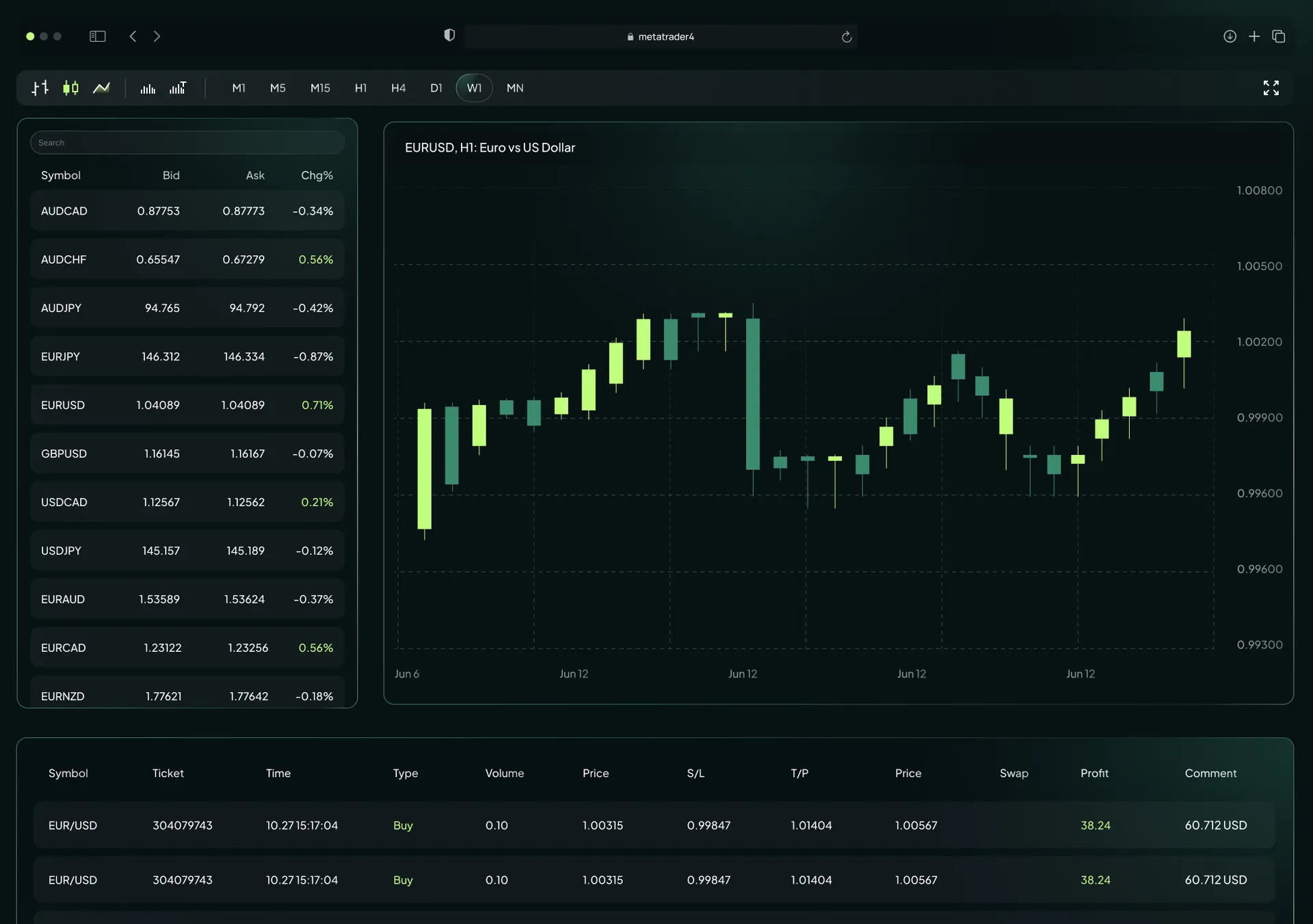
MT4 WebTrader Browser-Based Trading Platform visual

MetaTrader 4 Web Platform Capacities

The web terminal replicates the complete desktop experience within a browser environment, providing institutional-grade stability for high-volume trading operations. WebTrader handles multiple positions simultaneously without latency issues, ensuring consistent performance across all market conditions.

Trade Anywhere Anytime icon

Trade Anywhere Anytime

Traders only need an internet connection and a browser to access their accounts from any location worldwide. This mobility advantage proves essential for professionals managing positions across multiple time zones or traveling frequently.

Compatible With Every Operating System icon

Compatible With Every Operating System

WebTrader MT4 runs seamlessly on Windows, macOS, and Linux through Chrome, Firefox, Safari, and Edge browsers. The browser-based architecture eliminates OS-specific software conflicts, providing identical functionality regardless of your operating system.

Reliable Data Protection icon

Reliable Data Protection

All transmitted data receives 128-bit encryption, matching the security standards of desktop applications. Using the web version maintains the same protection protocols that safeguard your trading capital and personal information.

Essential MT4 WebTrader Features

Professional traders access the complete toolkit without sacrificing functionality when switching to the browser-based platform. The web interface delivers every critical trading tool required for technical analysis and position management.

Professional Charting Tools icon

Professional Charting Tools

The graphical interface supports candlestick, bar, and line chart types with direct application of technical indicators within the browser window. Traders can analyze price movements using the same visual tools available in the desktop version.

Advanced One-Click Trading icon

Advanced One-Click Trading

Users enter and exit positions with single-click execution, critical for scalpers and day traders operating in volatile currency markets. The streamlined order process reduces the time between decision and execution to milliseconds.

Multiple Order Types icon

Multiple Order Types

WebTrader supports market orders and pending orders including Buy Limit, Sell Limit, Buy Stop, and Sell Stop configurations. Every position can include stop loss and take profit parameters for comprehensive risk management.

Global Market Access On WebTrader MT4

MT4 Web serves as your gateway to international financial markets, connecting you to currency pairs and commodities through a single interface. The platform provides comprehensive market coverage across major, minor, and exotic instruments.

Access Global Markets Multi-Asset Solutions

Trade major currency pairs like EUR/USD alongside exotic pairs and commodities including oil and silver. The web platform offers the same instrument selection available through desktop MetaTrader 4 installations.

Start Trading Forex CFD Instruments

CFD trading through the web platform allows long and short positions on currency pairs to profit from both rising and falling markets. This contract-based structure provides leverage while maintaining full position control.

Precise History Analysis

The History tab enables comprehensive review of past trades with detailed performance analysis and export capabilities. Users can generate reports directly from the web interface to evaluate trading patterns and refine strategies.

Benefits Using MT4 WebTrader

The web version offers specific advantages over mobile apps and desktop software in scenarios requiring immediate access without prior installation. These benefits address real trading situations where flexibility determines execution quality.

Same Customizable Interface icon

Same Customizable Interface

The visual layout mirrors the desktop version exactly, eliminating the learning curve for existing MetaTrader users. This consistency ensures traders maintain their workflow efficiency when switching between platforms.

High-Performance Execution Standards icon

High-Performance Execution Standards

Trade execution synchronizes directly with broker servers, optimizing execution speed to minimize slippage. Performance metrics match installed software, delivering institutional-quality order routing through your browser.

Real-Time Market Quotes icon

Real-Time Market Quotes

The Market Watch window streams live pricing data for all forex pairs, gold, and indices without delays. Traders receive the same tick-by-tick updates available on dedicated trading terminals.

How To Start Trading On MT4 Web Platform

Beginning your trading journey requires three straightforward steps that take you from broker selection to live market access. This process can be completed in minutes with proper preparation.

Step 1

Choose Reliable Broker For MT4 WebTrader

Select a regulated broker offering competitive spreads, fast execution speed, and responsive customer support. Vida Markets provides FSCA-regulated trading conditions with transparent pricing across all instruments.

Step 2

Open MetaTrader WebTrader Account

Complete the registration process by choosing between a Live account for real trading or a Demo account for strategy testing. The account setup includes verification steps that ensure secure access to your funds.

Step 3

Log In And Trade Instantly

Enter your account number, password, and select the correct broker server on the login screen to begin your first session. The platform loads your trading environment immediately after successful authentication.

Frequently Asked Questions (FAQ)